Serato DJ 5.0 and Serato DJ for iOS: what DJing on your phone really means
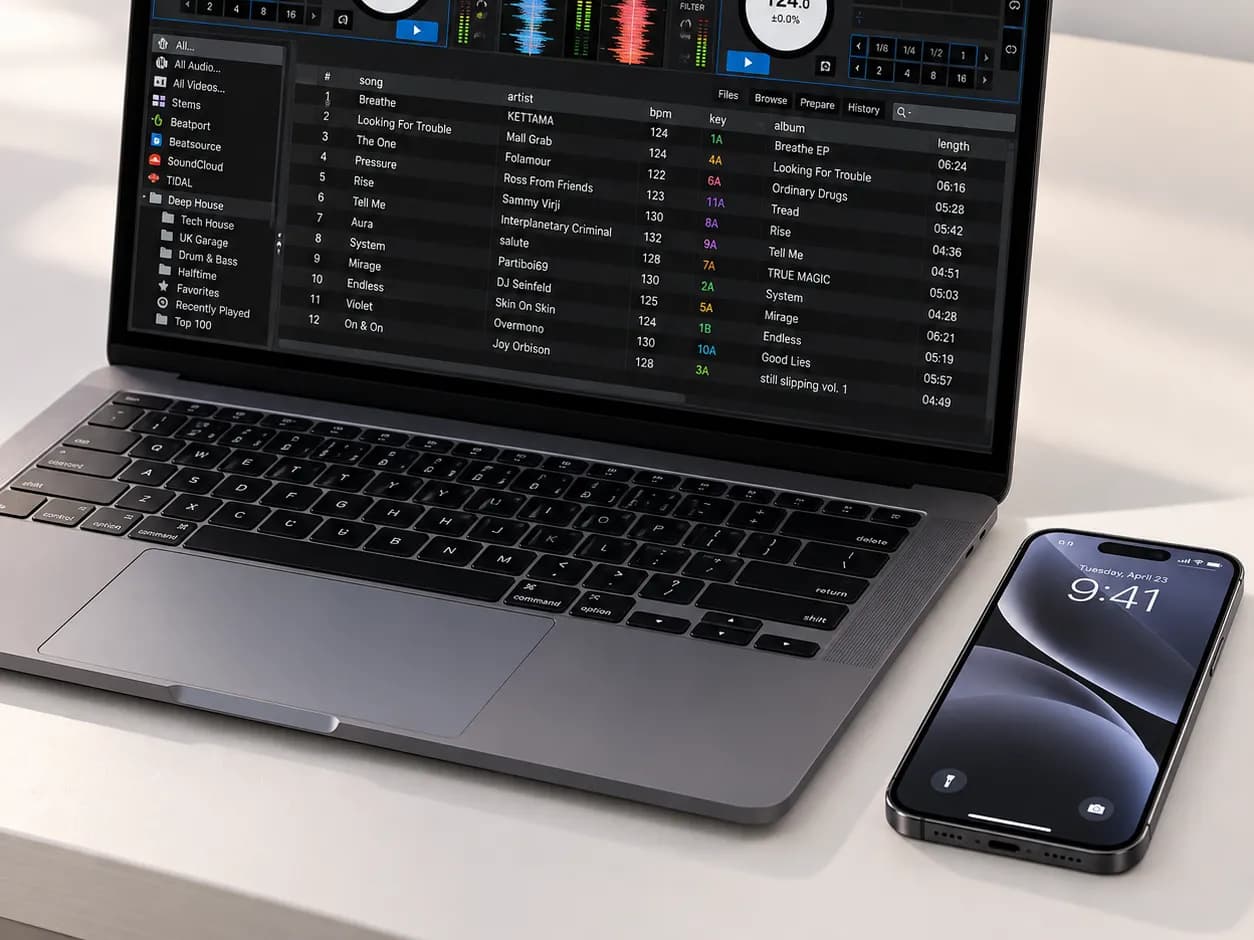
On 20 October 2026 Serato released Serato DJ 5.0 and, alongside it, Serato DJ for iOS: the company's first DJ app for iPhone and iPad. In short, you can now mix on your phone with real Serato software, with or without a controller. Here is what the app can do, where it stops, and how to start if you DJ (or want to) in Ho Chi Minh City (Saigon).
The short version
- Serato DJ 5.0 for laptops is out of beta, with Lucid Beatgrids, Open Streaming, Cue Loops and iOS Transfer.
- Serato DJ for iOS is a free download from the App Store, for iPhone and iPad only. Serato says it is not compatible with Android at this stage.
- The full version is a one-time purchase of 149 USD, or comes with a Serato DJ Suite subscription (App Store prices on 27 October 2026).
- It works with 120+ controllers, turntables and mixers, but not with CDJs in HID mode and not over Bluetooth.
What is new in Serato DJ 5.0
According to Serato's official announcement, version 5.0 is about tighter timing and taking your library with you.
Lucid Beatgrids
A beatgrid is the map of beats that sync and loops rely on. Serato rebuilt its analysis: better downbeat detection and, for the first time in Serato DJ, automatic tempo tracking. The new default, Flexible Beatgrid Analysis, follows tempo changes across a track, which helps with live-drummed music. Fixed analysis is still available, and existing grids are not overwritten; re-analyse a track to use the new engine.
Open Streaming, Cue Loops and iOS Transfer
- Open Streaming: stay logged in to several streaming services at once, each shown as its own crate.
- Cue Loops: a hot cue and a loop on one button. Serato lists it in Serato DJ Pro and the iOS app.
- iOS Transfer: send crates and tracks from Serato DJ Pro or Lite 5.0 on a laptop to an iPhone or iPad, wirelessly or by cable. Cue points, beatgrids and key data come along, and the files stay on the device for offline sets.
What "DJing from your phone" actually means
Serato's product page describes two virtual decks on the touchscreen, crates, effects, performance pads, a sampler, cue points, key sync and real-time stem separation. You can use it three ways:
- Phone or iPad alone: mix on the screen, no hardware.
- With a controller: over USB-C or Lightning, with supported units from AlphaTheta, Pioneer DJ, Rane, Numark, Hercules, Roland and others.
- Turntables with DVS: control vinyl through a Serato-supported mixer.
Free versus paid
In its review, Digital DJ Tips lists what the free tier includes: four hot cues, four sample slots, basic effects, basic stems and sync, and a selection of entry-level controllers. Paying adds recording, DVS, advanced pad modes, key shifting, Stems FX, all effects and extra waveform views. Existing Suite subscribers pay nothing extra. Some controllers need the paid version, so check Serato's hardware list before buying one.
Which phone you need
The App Store listing requires iOS or iPadOS 18.6 or later. Serato's getting-started guide recommends iOS 26, an iPhone 15 or newer (or iPad Air 2020 / iPad 2022) and a USB-C to USB-C cable. For long sets it suggests a MagSafe charger or a powered USB-C adapter, as battery life depends on the device and the connected hardware.
What it does not do (yet)
- No Android version, no CDJ HID control, no Bluetooth hardware.
- Serato Video, Serato Flip, custom MIDI mapping and Ableton Link stay on the laptop.
- Recording is paid-only and does not work with streamed tracks.
- Digital DJ Tips adds that transfer is one-way, the app takes one streaming login at a time, and calls or notifications can interrupt a set.
Phone versus a club booth
A phone is a great way to train your ears, try transitions on the bus or sketch a set. But a club booth usually means stand-alone players and a mixer, such as CDJ-3000s with a DJM-A9, and DJs bring their music on a USB stick prepared in rekordbox. Since the app does not control CDJs in HID mode, you cannot plug your iPhone into the club's decks the way you plug it into a controller.
The bigger gap is your hands. On a touchscreen, sync and waveforms do much of the work. On CDJs you ride the pitch fader, cue the next track in your headphones and hold the mix by ear in a loud room. Those skills are built on real decks.
How to start
The app suits the curious who want to try DJing before buying gear, students who want extra practice anywhere, and Serato DJs who want a light backup.
- Install Serato DJ for iOS and check that your phone meets the requirements.
- Pick two tracks of the same style with close tempos, for example house around 124–128 BPM.
- Practise EQ blends: cut the bass of the outgoing track as the new one comes in.
- Switch sync off for a while and match the beat by ear. It is the most valuable exercise there is.
- Turn on Do Not Disturb and play tracks stored on the device.
- For real knobs and jog wheels, add a controller from Serato's supported list. Compare options in our guide to DJ controllers for beginners and the controllers in the Muse Inc store; for other software, see 5 easy DJ mixing programs.
The skills travel with you: learning at Muse Inc
Software changes with every version. Beatmatching (locking two tracks to one beat), phrasing (mixing at the right musical moment), EQ, cues and loops work the same in Serato, rekordbox or on CDJs. At Muse Inc, Level 1 — Basic DJ is taught on a DJ controller with Rekordbox DJ: 8 lessons of 60 minutes with a teacher over about 3 weeks, 8 hours of practice and a final test, in English or Vietnamese. Levels 2 and 3 move to a club-standard booth with CDJ-3000 and DJM-A9. If you already mix with Serato on your phone, you change the interface, not the craft.
- Level 1 — Basic DJ: starts with the gear and set-up, no experience needed.
- Complete DJ Course: 33 lessons, with both Rekordbox and Serato DJ Pro on controllers, CDJs and turntables.
- All DJ courses: one-to-one, small groups or online.
- Practice room by the hour: XDJ rooms, or CDJ-3000 with DJM-A9 if you can already mix.
- Choosing a school? Read where to learn DJing in Ho Chi Minh City.
Course fees in VND, from the school's live price list:
| Course | Tuition | Lessons | Formats |
|---|---|---|---|
| Level 1 — Basic DJ | 8,000,000–9,500,000 ₫ | 8 | 1:1 · Group · Online |
| Level 2 — Intermediate DJ | 15,000,000–17,000,000 ₫ | 14 | 1:1 · Group · Online |
| Level 3 — Advanced DJ | 15,000,000–17,000,000 ₫ | 12 | 1:1 · Group · Online |
| Comprehensive DJ Course | 24,000,000–38,000,000 ₫ | 33 | 1:1 · Group · Online |
| Kids DJ Course | 7,000,000 ₫ | 11 | 1:1 |
| DJ Influencer Course | 8,000,000–9,500,000 ₫ | 8 | 1:1 · Group · Online |
| DJ After Hours | 4,000,000–5,000,000 ₫ | 4 | 1:1 · Group · Online |
| Techno DJ Course | 24,000,000–27,000,000 ₫ | 29 | 1:1 · Online |
| Urban DJ Course | 26,000,000–29,000,000 ₫ | 29 | 1:1 · Online |
| EDM DJ Course | 24,000,000–27,000,000 ₫ | 23 | 1:1 · Online |
| VINA HOUSE DJ COURSE | 28,000,000 ₫ | — | 1:1 |
| Turntable Dj course | 18,000,000 ₫ | — | 1:1 |
| Music Production Training Program | 40,000,000 ₫ | 39 | 1:1 |
| Basic Music Production | Price on request | 9 | 1:1 |
| Mixing & Mastering | Price on request | 10 | 1:1 |
| Mashups, DJ Edits & Performance Tools | Price on request | 5 | 1:1 |
Frequently asked questions
Yes. The app is free on the App Store, and the free tier already lets you mix with hot cues, basic stems and basic effects. Recording, DVS, Stems FX and part of the hardware list need the full version: 149 USD once, or a Serato DJ Suite subscription (App Store prices on 27 October 2026).
No. Serato states that the app is not compatible with Android devices at this stage. It runs on iPhone and iPad, and the App Store listing requires iOS or iPadOS 18.6 or later.
A phone is a good practice tool and backup, but club booths usually run CDJs and a separate mixer, and the app does not control CDJs in HID mode. For club gigs you need the pitch fader, headphone cueing and a USB prepared in rekordbox, which are best learned on real decks.
Both. The Complete DJ Course covers controllers, CDJs and turntables with Rekordbox and Serato DJ Pro. Level 1 is taught on a controller with Rekordbox DJ, Levels 2 and 3 on CDJ-3000 with DJM-A9. Beatmatching, phrasing and EQ carry over to any software, Serato included.
Want real decks under your hands instead of a touchscreen? Book a free trial lesson at Muse Inc, 409 Hai Ba Trung St., Xuan Hoa Ward, Ho Chi Minh City (rear entrance), open 9:00–21:00 every day (UTC+7), or message us on WhatsApp or Zalo at +84 90 2957 911.