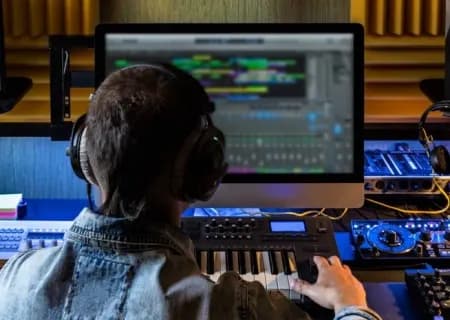
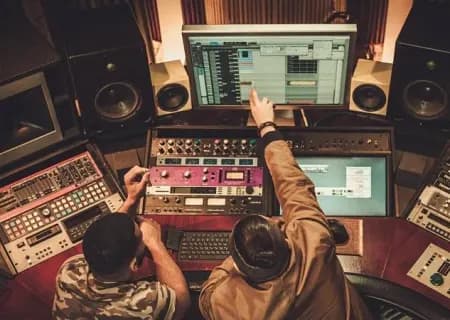
DJ/Producer Tips: What Is a DAW?
If you're a DJ or producer, the term DAW will surely sound familiar. But what exactly is a DAW? And if you're just starting out, how do you choose the right one for you?
What is a DAW?
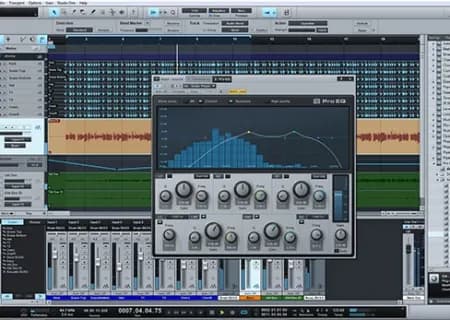
DAW is a music industry term that stands for Digital Audio Workstation: software that lets you record, mix, edit and process one or more pieces of digital audio. Popular DAWs include Ableton Live, Pro Tools, Logic, GarageBand, Audacity and Reaper. Each has its own layout and features, but they all let you record digital audio and edit and process multiple tracks at once.
Almost every DAW supports MIDI (Musical Instrument Digital Interface), which lets you program and play it from MIDI controllers such as synthesizers. Plugins are an essential part of any DAW: they handle everything from EQ (shaping frequencies) and compression to emulated effects.
Free software
Although programs like Reaper, Audacity, Cakewalk and GarageBand are easy to get hold of, each has its drawbacks. GarageBand, for example, only runs on Apple's operating system, so you need a MacBook to use it. Reaper and Audacity run on both Windows and macOS and are open source (their code is open for anyone to read and study); earlier versions of both were pretty basic, while the latest ones pack in lots of settings aimed at experienced users. Cakewalk (formerly SONAR) has just been released for free after BandLab acquired it in early 2018.
Industry-standard software
Pro Tools from Avid Technology and Apple's Logic dominate the market today and are used by many professional music producers. Pro Tools is slightly more widespread, and you can buy it in several tiers at different prices.
Logic only runs on Apple computers, but it can open GarageBand files and integrates very well with other Apple software. Because both programs are so popular, it's easy to find your way into either of them.
Specialist software
Some DAWs take a different route, with unique features that cater to specific professional needs. Nuendo, for instance, with its video support and flexible audio editing, has become the number-one choice for film projects.
Adobe Audition syncs with Adobe Creative Cloud and suits non-specialist audio work. Ableton Live has a loop-based interface: besides recording and arranging in a way that gives you a clear overview, it really shines for live performance.
Other specialist software
There are plenty of quality paid DAWs from many different developers. Each one is different, but they all fall into two camps: studio and performance. All-round DAWs often come bundled with an audio interface, while Reason, Cubase and FL Studio (formerly Fruity Loops) excel at MIDI integration and suit electronic music, sound design and beat-making.
How to use a DAW
After installing the software and updating any drivers you need, set up the inputs and outputs for recording and playback (either your computer's sound card or your own audio interface). Next, create one or more tracks; each track can record and play back audio, and you'll need plenty of them to hold different layers of instruments and sounds.
Once you've recorded your audio and placed it on tracks, you can edit it by cutting, copying and pasting in the edit view, adjust channels and levels on the mixer, add plugins and carry on. Finally, finish your edits and export the project as audio to get a complete sound file.
Source: Loop Central
Want to learn a DAW with a teacher? The Basic Music Production course covers 9 classes on Ableton Live: rhythm, audio and MIDI, plugins, a beat from samples, bassline and chords.