6 CUE Buttons on Your DJ Gear: Do You Know Them All?
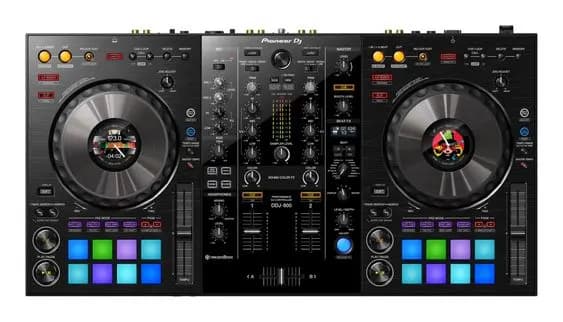
Remembering every button on your DJ gear is important – and a bit tricky when you're just starting out on the road to becoming a DJ. The CUE buttons are no exception. Today, Muse Inc rounds up the 6 CUE buttons on DJ gear and what they do, so you can easily remember them and tell them apart!
1. CUE/PLAY
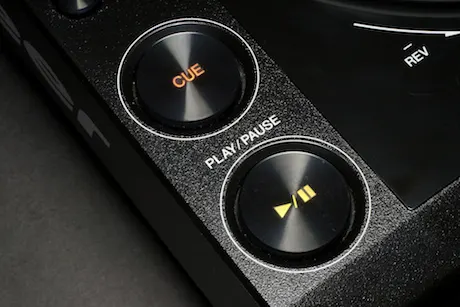
The most noticeable and most used is the big round CUE button above the PLAY button. It sets a memory point, marking the start of a track or wherever you want to begin. It's used together with the PLAY button or the Track Search function to set the start point, or you can hold CUE to play the track and release it to jump back to the start point. DJs often use the CUE button to preview tracks or when beatmatching.
2. Memory CUE
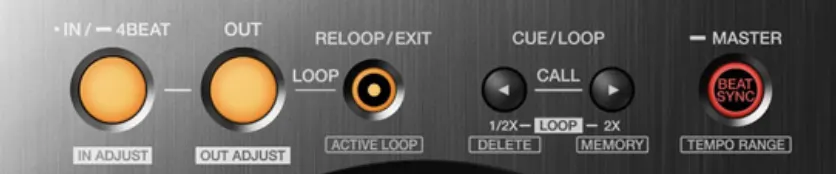
This feature lets DJs create “memory points” at different positions in a track, so they can mark and remember spots for mixing or for techniques in their set. It also lets DJs flexibly recall and move the track's start point to anywhere in the song. When you call up a Memory CUE, the track's start point jumps to the position you set. You can set as many Memory CUE points as you like in a track.
3. Hot CUE
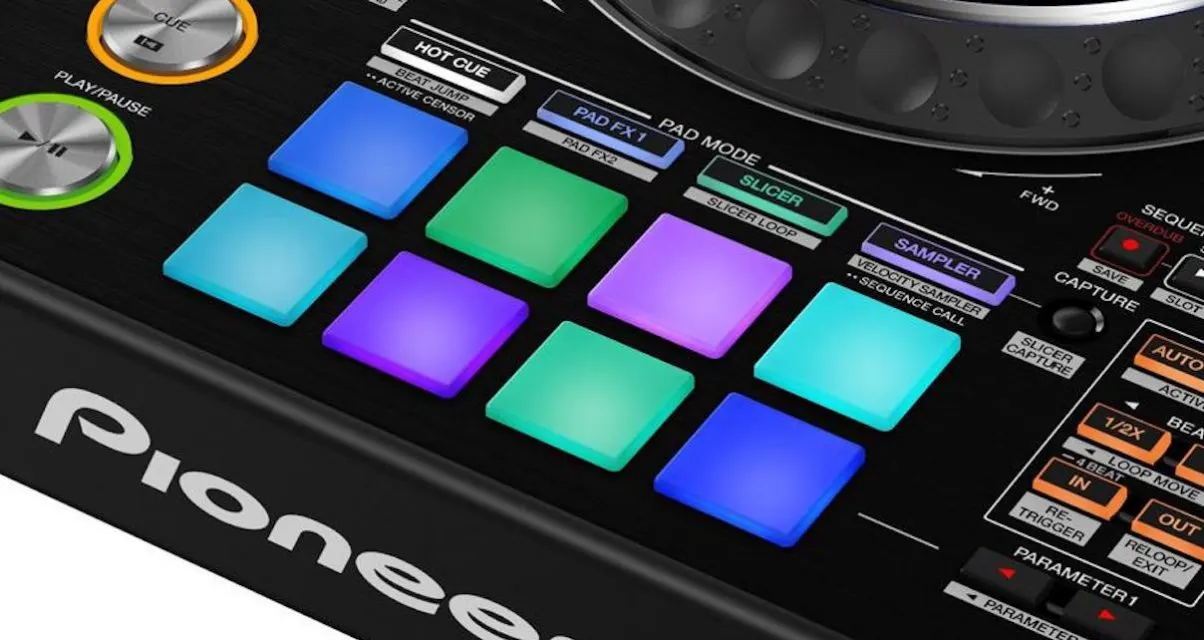
Hot CUE is a “colorful” feature that works much like Memory CUE, but a Hot CUE is a “hot” memory point: when you trigger it, the track automatically plays from that Hot CUE position. It gives DJs plenty of flexibility for techniques, mixing and live mashups. Unlike Memory CUE, you can set a maximum of 16 Hot CUE points in a track. How many Hot CUEs are displayed and usable depends on the equipment you use.
4. CUE-Phone
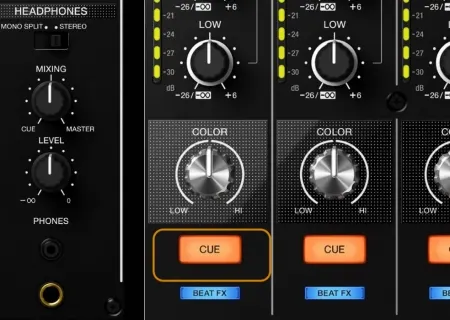
On the mixer section of DJ gear, you'll easily spot a row of “CUE” buttons above each channel's volume fader. These let you choose which channel you hear in your headphones, even when that channel's volume is down, so you can preview and prepare the tracks in your performance.
5. CUE Link
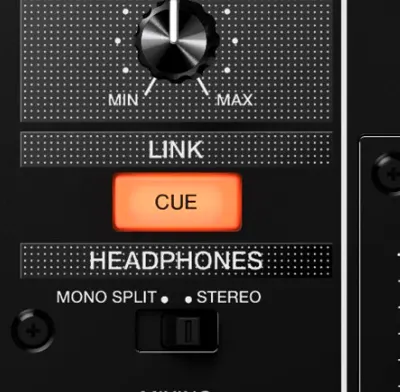
CUE Link works hand in hand with Pro DJ Link. It lets you preview the Preview Waveform from Rekordbox when connected via Pro DJ Link. CUE Link is only found on certain mixers, such as the DJM-900NXS2 and DJM-V10, or classic mixers like the DJM-2000…
Today, with a CDJ-3000 and a DJM-900NXS2 or DJM-V10 connected via Pro DJ Link, you can use CUE Link to preview the Preview Waveform on the CDJ-3000.
6. CUE Master
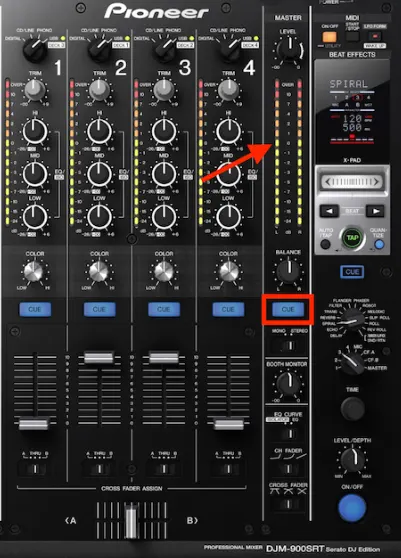
While the CUE-Phone buttons let you hear each channel even when its volume is down, CUE Master lets you hear the same signal in your headphones as through the main speakers. It's often used instead of monitor speakers if the venue you're playing has none.
Muse Inc hopes this post helps. To pick up more DJ knowledge and skills, sign up for a DJ course at Muse Inc. We'd love to help you follow your passion and become a real DJ!
Classes of up to 4 students. A dynamic, creative learning environment.
Classrooms designed and decorated in a modern, youthful, energetic Western style.
Well-known instructors with real performance experience – professional and dedicated.
Modern facilities built to international standards with equipment from HARMAN International.
Chances to perform at major music festivals, game shows and well-known bars and clubs


Want to practise this with a teacher? The beginner DJ course (Level 1) takes you from the gear to your first set in three weeks, on the school's CDJs and controllers.