The Pioneer DJ CDJ-3000: 10 Things You Didn't Know
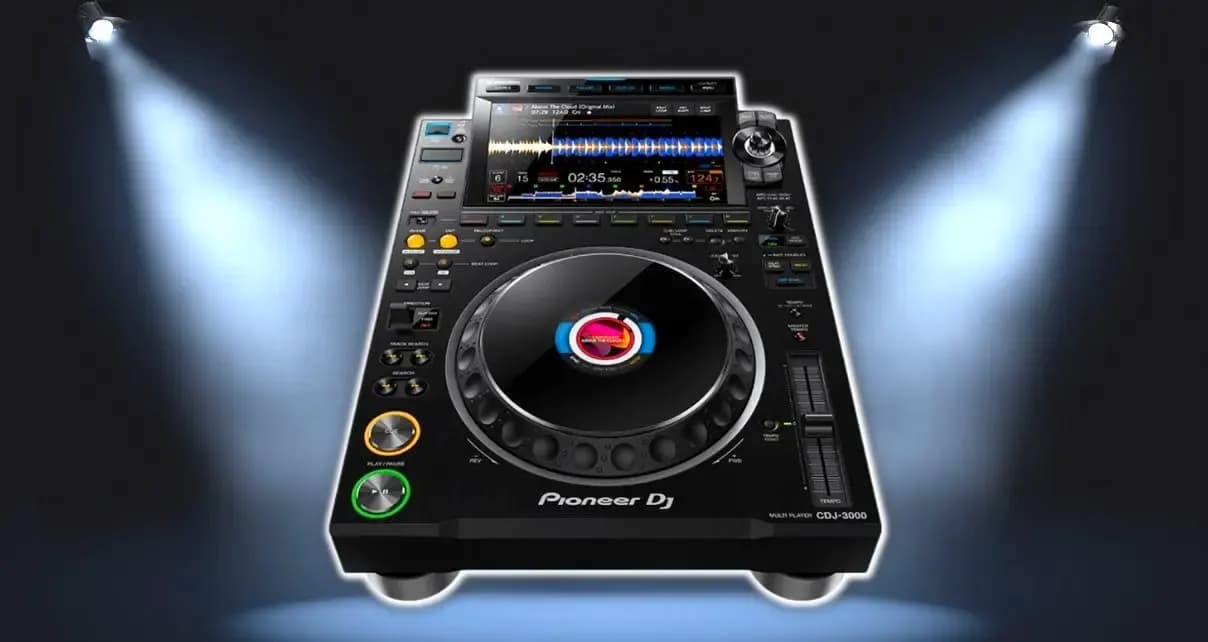
Pioneer DJ's CDJs are the industry's gold standard for DJ equipment, and you'll find them almost anywhere DJs work. They may not have every feature other brands offer, and they haven't changed much over the past 10 years. But what matters is that they're the choice of professionals, because their quality is proven.
In this post, Muse looks at 10 things you may not know about the CDJ-3000, the latest model from Pioneer. If you're curious about it or thinking of using one, here's some useful information.
- The CDJ-3000 syncs better than any other player
The CDJ-3000 has “key sync” (a button that matches the key of two tracks). This is what sets the CDJ-3000 apart — no other player has it. It's built into the hardware as a dedicated key function, which gives better results than the weaker versions other players use.
See more DJ equipment
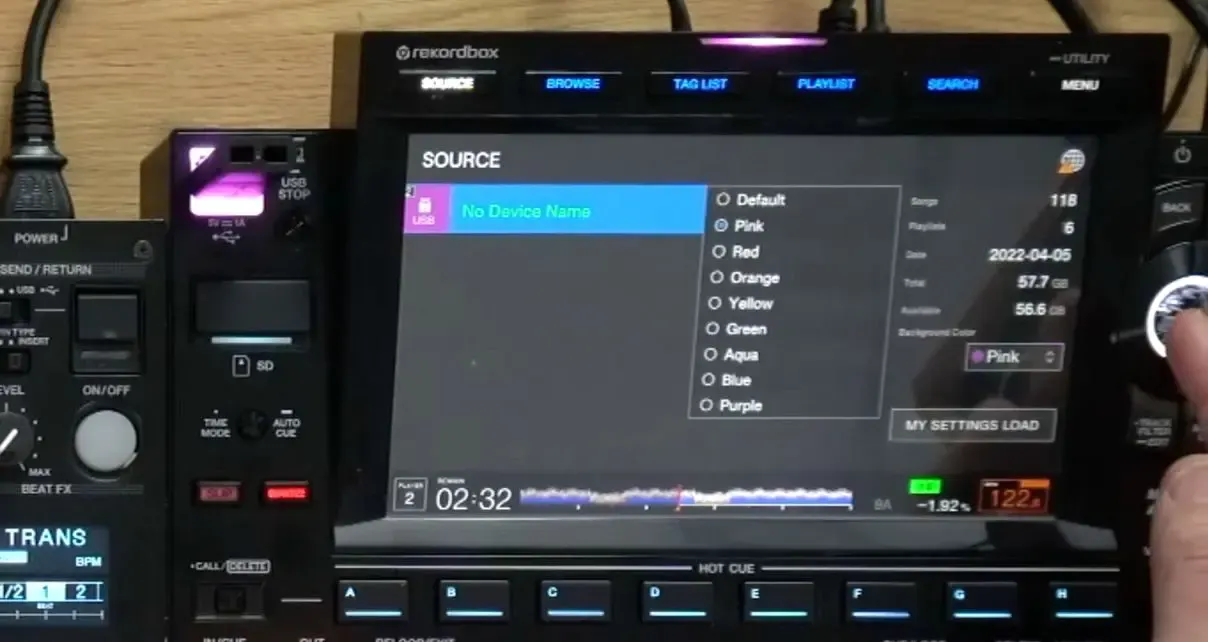
- You can give the player any colour you like when you plug in a USB drive
If you DJ from music on a USB drive or SD card, you can set up your CDJ-3000s so that the player “switches” to a specific colour when you insert the drive or card. Not the whole unit, just the area around the slot, a horizontal bar along the top of the raised section and the left side of the touch screen. The CDJ-3000 can show pink, blue, green, yellow or any colour you want.
Changing colours
- You can beat jump
Beat jump lets you move forward or back by the number of beats or bars you choose. It's a great way to move through a track, and it works well on the dance floor because the rhythm keeps going. If you set a loop and then use beat jump, the whole loop moves, which can be a fun creative effect.
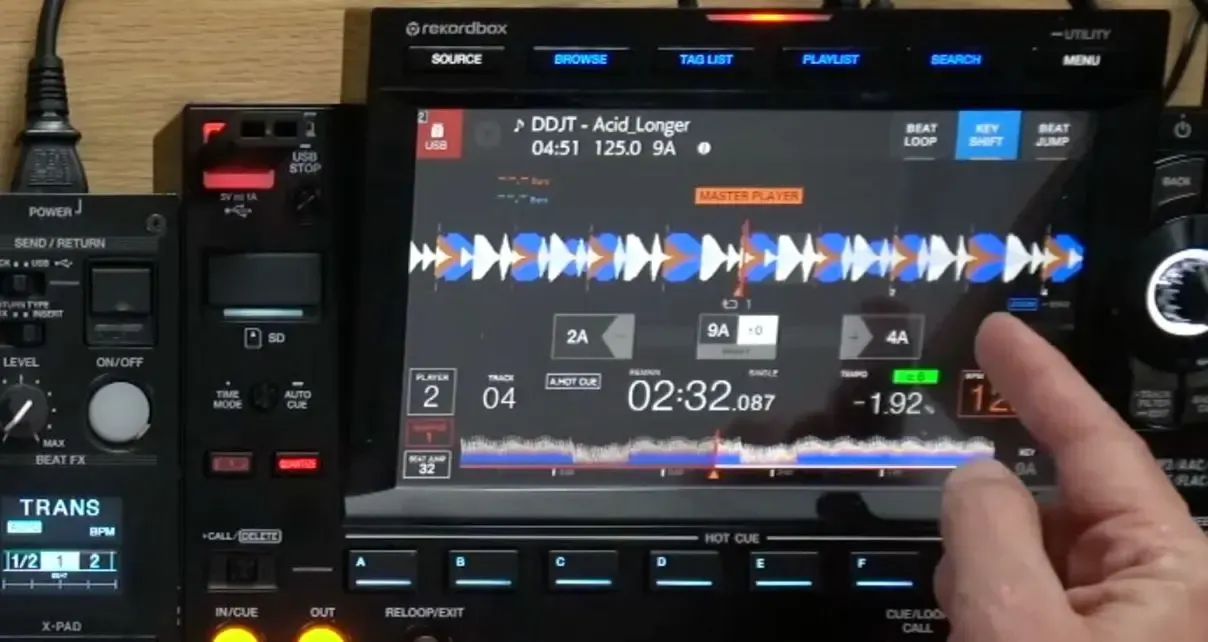
- You can change the waveform colours on the CDJ-3000
If you don't like the three-colour frequency waveform that follows the track, you can switch it to a single colour (a blue tone, for example), or show all the colours at once. It works like other DJ software, only much simpler.
Changing the waveform colours
- If you change the key by changing the tempo, the player tells you the track's new key
If a track is in C and you slow it down by 4%, it changes to B. The CDJ-3000 shows you every change on screen. This can be handy for producers and for DJs who don't want to use the “Master Tempo” key lock.
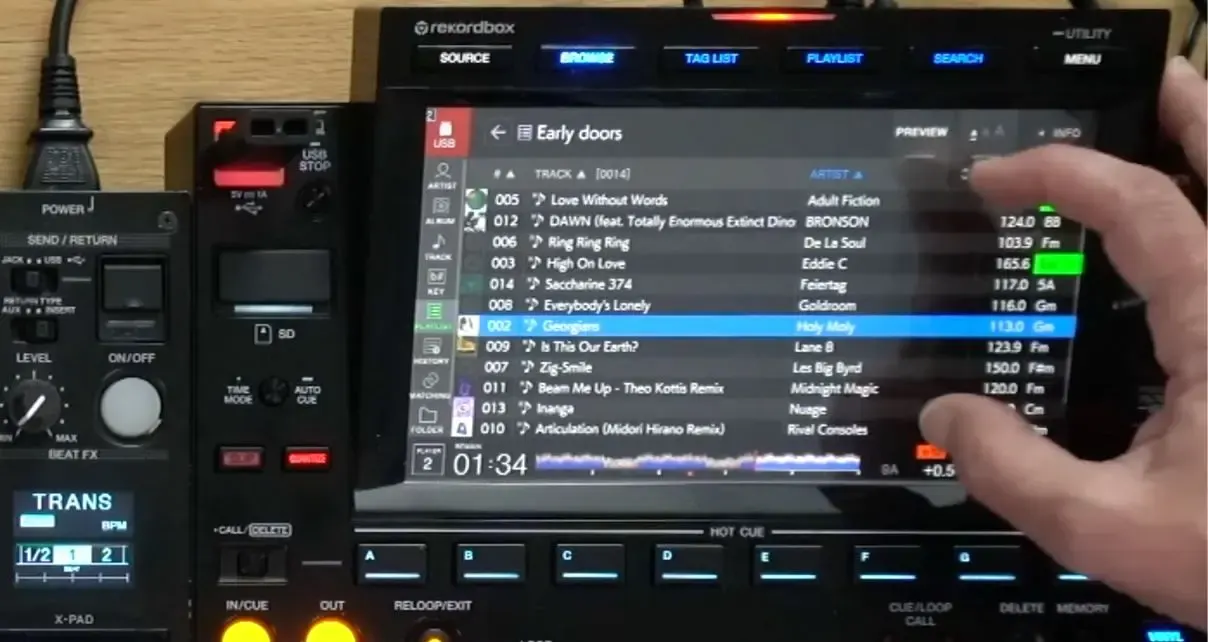
- You can add a second column to the track library
By default, the library screen shows the track name and BPM, and it can preview the next track. On the CDJ-3000 you can add a second column of your choice, such as genre, track order… If all that information feels hard to read, just change the font size.
Adding a column
- You can set up the CDJ-3000 quickly with “Load Settings”
The player is easy to customise in its settings. And if you want the library to look the same as when you prepare your music in rekordbox on your laptop, the CDJ-3000 can do that too. When you plug your USB drive or SD card into the CDJ, it applies your settings automatically.
- The CDJ-3000 works with other gear
If you use a mixer with a digital input, you can connect the CDJ to it with a single RCA cable to pass the audio between the two units and improve the sound quality.
- It links up well with other equipment
People new to CDJs often don't know that CDJs can all be linked together with network (LAN) cables. You need a network hub to connect several CDJs, the mixer or even a laptop, so you can share playlists and play music straight from the laptop. You can link up to 6 CDJs together.
- The CDJ-3000 has no CD tray
By now you might be wondering why it's called a CDJ if it doesn't play CDs. Starting with the CDJ-3000, there's no CD tray on CDJs anymore. If you buy one, know that you won't be able to use your CD collection. It's best to rip those CDs to digital files before you want to use them.
Buy a genuine CDJ-3000
Want to practise this with a teacher? The beginner DJ course (Level 1) takes you from the gear to your first set in three weeks, on the school's CDJs and controllers.